Best Chromebooks 2027: 5 Picks That Won't Slow Down on You
This post is all about the best Chromebooks to actually getting years of use instead of watching a $300 laptop crawl to a halt by month eight.
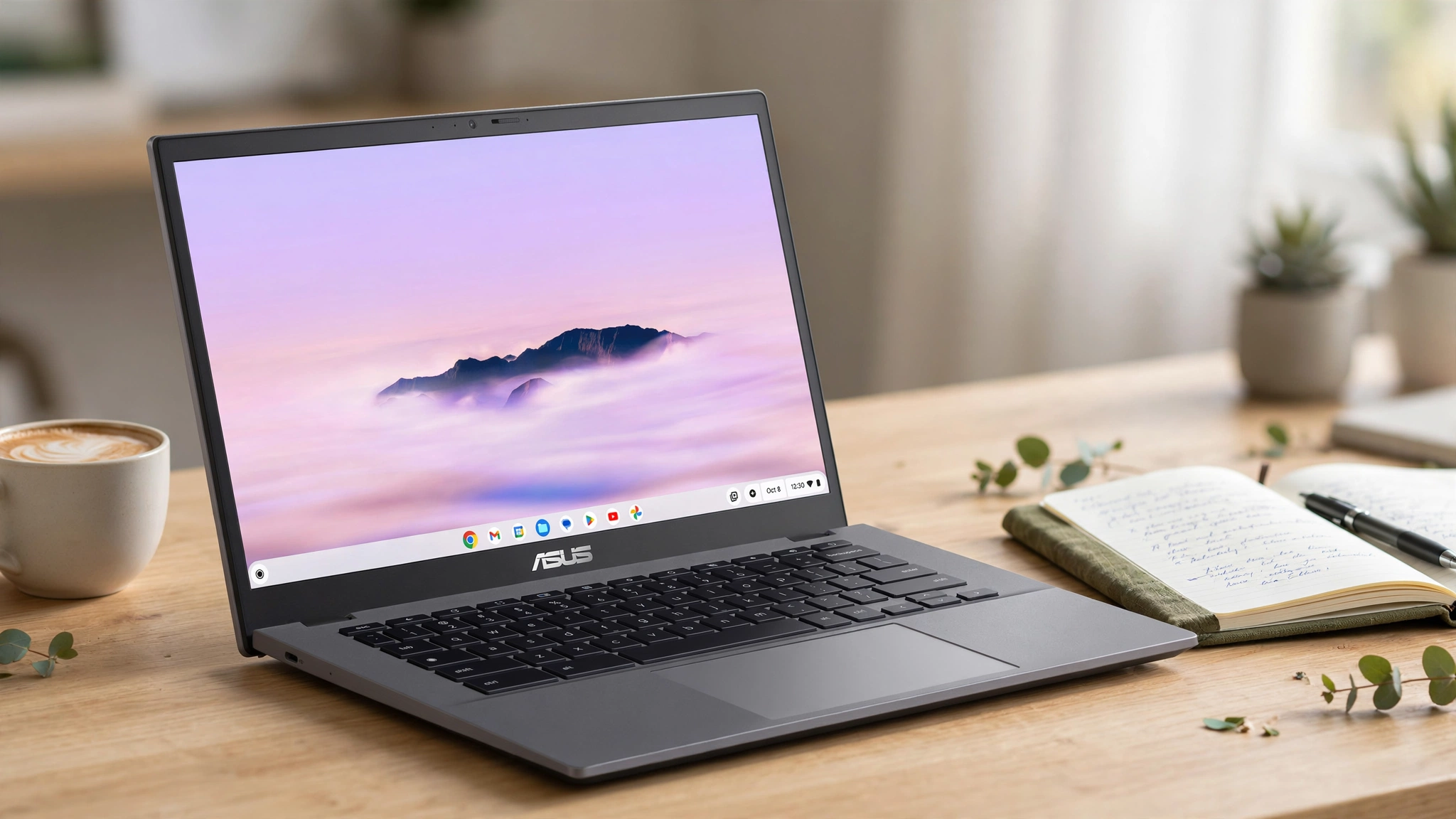
The Chromebook category has quietly gotten good. The standout this year is the ASUS Chromebook Plus CX34: not the fastest or the cheapest machine here, but the one that gets the fundamentals right across the board, which is exactly what most buyers actually need from a Chromebook. If raw speed matters more to you than balance, the Lenovo Chromebook Plus 14 is doing something genuinely new in this category: MediaTek’s Kompanio Ultra 910 chip closes a real gap with Windows-laptop performance that Chromebooks haven’t historically been able to touch.
Skip this guide entirely if you need heavy desktop software (video editing suites, CAD, anything Adobe outside the browser); ChromeOS’s core limitation doesn’t go away no matter which model you pick, and no amount of research changes that trade-off.
Top picks at a glance
Best Chromebooks 2027
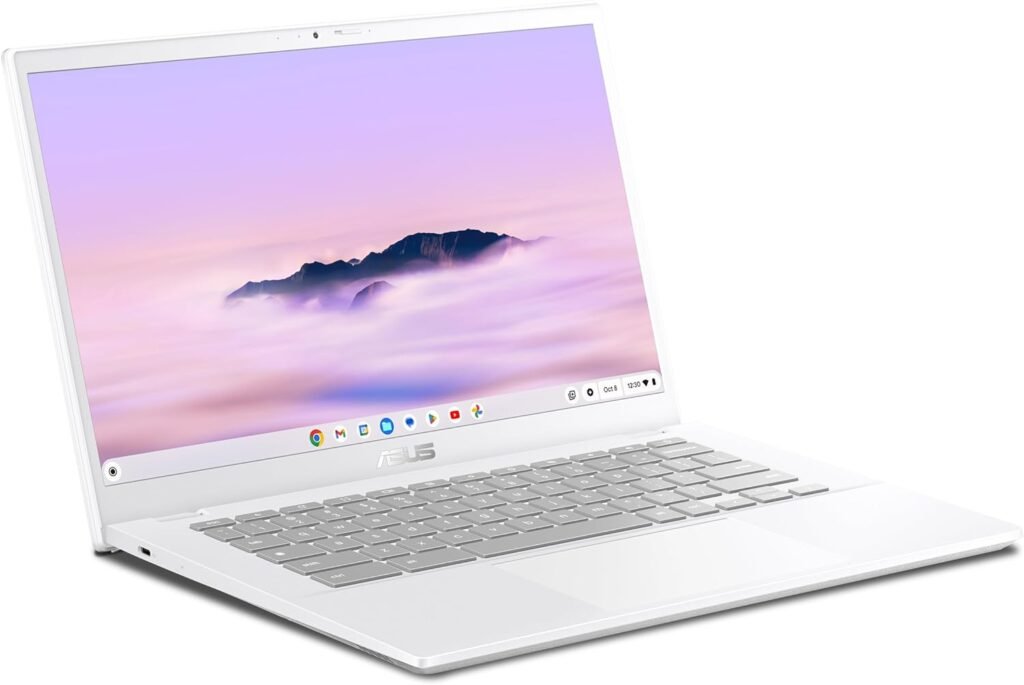
Reliable, well-rounded, and the one most people should actually buy
-
Specifications
Size: 14″ 1080p display CPU: Intel Core i3-1215U (base) or i5-1335U (refreshed model) RAM/Storage: 8GB RAM, 128-256GB storage Battery: rated up to 10-13 hours; independent tests found anywhere from 7 to 13 hours
Reasons To Buy
+ Independently named the best all-around Chromebook by multiple major reviewers
+ Solid Intel Core processor handles everyday tasks without the hesitation cheaper Chromebooks show
+ Wide port selection, a genuine convenience most budget Chromebooks skip
+ Sharp display and a webcam that’s actually good, not an afterthought
Reasons to avoid
– Not the fastest or flashiest option on this list if raw performance is the priority
– ChromeOS-only, a real limitation if you need desktop-specific software
Why we picked it: PCWorld’s testing team, who personally review more than 70 laptops a year, landed on the CX34 as their top overall Chromebook pick, and the reasoning is straightforward: it doesn’t try to be the fastest or the cheapest, it just gets the fundamentals right across the board.
Real-world ownership: A solid processor, a good screen, and enough ports to actually be useful add up to a Chromebook that doesn’t ask you to compromise on anything specific. You’re not choosing this because it wins on any single spec; you’re choosing it because nothing about it disappoints you six months in.
Performance: The Intel Core i3/i5 handles browser-heavy multitasking, video calls, and everyday productivity without the stutter that cheaper Celeron-based Chromebooks show once you stack more than a handful of tabs.
Reliability: ChromeOS as a platform generally reports fewer hardware-related support issues than comparable Windows machines over time, since the OS itself stays lightweight rather than accumulating background bloat. We didn’t find independently-verified, brand-specific Chromebook failure-rate data solid enough to cite here; treat brand reputation as directional rather than a hard statistic.
Meaningful numbers: 8GB RAM, 128-256GB storage, 7-13 hour battery life range across independent tests, wide port selection relative to competing Chromebooks in this price tier.
Trade-offs: It ranks above the budget and 2-in-1 picks below because it doesn’t ask you to trade away anything specific to hit its price point. It ranks below the Lenovo Chromebook Plus 14 on raw performance, but at a meaningfully lower price for buyers who don’t need that ceiling.
Who should buy it: anyone who wants one dependable Chromebook without shopping by spec sheet.
Who should skip it: anyone who wants the fastest Chromebook available regardless of price; the Lenovo Chromebook Plus 14 below is a genuine step up in performance.
Bottom line: the Chromebook to buy if you just want it to work well for years without thinking about it further.
Buy this if you:
- want one dependable Chromebook without comparing spec sheets
- need enough ports to actually be useful, not just decorative
- value balance over chasing the fastest or cheapest option available
Best for: anyone who wants one dependable Chromebook without shopping by spec sheet.
-
Specifications
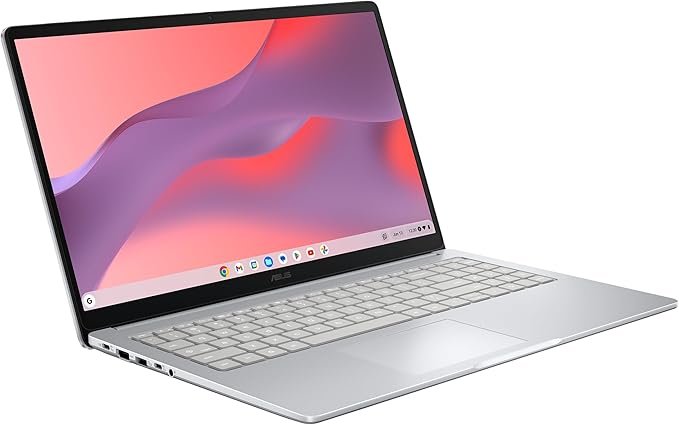
Size: 15.6″ 1080p display CPU: Intel Celeron N4500 (dual-core) RAM/Storage: 4GB RAM, 128GB eMMC storage Battery: rated up to 11 hours
Reasons To Buy
+ $159 MSRP, one of the most affordable genuinely usable Chromebooks available
+ Spacious 15.6-inch display and a roomy keyboard, comfortable for a budget machine
+ Weighs just 3.97 lbs with an 11-hour rated battery life
+ Handles daily browsing, email, and streaming without issue
Reasons to avoid
– 4GB of RAM means real limits once you stack multiple tabs or apps
– Celeron N4500 is an entry-level chip: fine for basics, not for anything demanding
– Plastic build feels inexpensive, even if it holds up structurally
Why we picked it: PCWorld’s pick for best budget Chromebook comes down to straightforward value: a 15.6-inch screen and a comfortable keyboard at a $159 price that undercuts nearly everything else on the market.
Real-world ownership: It’s not going to multitask hard, but for basic browsing, email, and streaming, it covers the fundamentals without asking you to spend much to get there. This is a first-Chromebook, backup-device, or tight-budget machine, not a daily-driver for anyone with heavier needs.
Performance: Adequate for single-task browsing and light productivity. Multiple open tabs or background apps will show the RAM ceiling quickly, more so than on the pricier picks in this guide.
Reliability: ChromeOS’s lightweight footprint tends to age better than comparably-cheap Windows machines, since the OS doesn’t accumulate the same background bloat over time.
Meaningful numbers: $159 MSRP, 4GB RAM, 128GB eMMC storage, 11-hour rated battery, 3.97 lbs.
Trade-offs: It ranks here specifically for price, not capability. Every other pick in this guide handles more; this is the floor of “genuinely usable,” not a compromise-free budget option.
Who should buy it: buyers who want the lowest possible entry point into a genuinely usable Chromebook, or a secondary/backup device.
Who should skip it: anyone who can stretch the budget; the ASUS Chromebook Plus CX34 above gets you noticeably more headroom for a meaningful jump in day-to-day comfort.
Bottom line: the cheapest Chromebook on this list worth actually buying, as long as you know exactly what you’re and aren’t getting.
Buy this if you:
- want the lowest genuine entry point into a usable Chromebook
- need a backup device or a first computer for a young kid
- mainly browse, email, and stream rather than multitask heavily
Best for: buyers who want the lowest possible entry point into a genuinely usable Chromebook.
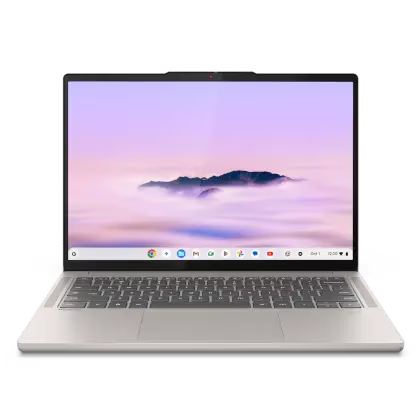
The chip that’s making Intel nervous about the Chromebook space
-
Specifications
Size: 14″ 1920×1200 OLED touchscreen CPU: MediaTek Kompanio Ultra 910 RAM/Storage: 16GB RAM, 256GB UFS storage Battery: rated up to 19 hours (PCWorld); Tom’s Guide independently measured over 13 hours
Reasons To Buy
+ MediaTek’s Kompanio Ultra 910 is a genuine leap in Chromebook performance, independently lab-tested at up to 2x faster CPU and 9x faster GPU performance than competing x86 Chromebooks
+ 14-inch OLED display that multiple reviewers called a genuine standout for the category
+ 16GB of RAM keeps things fast no matter how many tabs are open
+ 2.78-pound aluminum chassis feels premium without the premium-laptop weight
+ Includes 12 months of Google AI Pro, adding tools like NotebookLM
Reasons to avoid
– Function keys run small and show fingerprints easily, a real if minor annoyance
– Priced above the budget picks on this list, reflecting the performance jump
Why we picked it: This is the Chromebook that’s changing what people expect from the category. The MediaTek Kompanio Ultra 910 isn’t a marketing claim: independent lab testing (Signal65) measured it against current x86 laptops and found real, substantial performance gains, not incremental ones.
Real-world ownership: Reviewers who’ve used it as a daily driver describe genuinely not wanting to go back to their previous Chromebooks, largely because it breaks the usual trade-off between speed and battery life. The OLED screen is the other headline feature, and it’s not just a spec-sheet bullet point.
Performance: This is the standout category for this pick. Independently lab-tested at up to 2x faster CPU and 9x faster GPU performance than comparable x86 Chromebooks, which is a genuinely unusual gap to see in this category.
Reliability: Same category-level caveat as the picks above applies: we’re not citing unverified brand-specific failure rates. What we can say directly: the aluminum chassis construction reads as more durable than the plastic builds common at lower price points.
Meaningful numbers: 16GB RAM, 256GB UFS storage, 2.78 lbs, battery life independently measured between 13-19 hours depending on the testing source, 12 months of Google AI Pro included.
Trade-offs: It ranks third overall (not first) purely on price: it’s the best-performing pick in this guide, but the ASUS Chromebook Plus CX34’s balance-at-a-lower-price makes more sense for buyers who don’t need this performance ceiling.
Who should buy it: anyone who wants the fastest, most capable Chromebook available and is willing to pay for it.
Who should skip it: anyone for whom that performance ceiling isn’t necessary; the ASUS Chromebook Plus CX34 covers the essentials for considerably less.
Bottom line: proof that “just a Chromebook” doesn’t mean what it used to. Related post: Best Laptops for Students 2027 covers non-Chromebook options too, if you’re weighing ChromeOS against Windows for school specifically.
Buy this if you:
- want the fastest Chromebook available and are willing to pay for it
- do genuinely demanding multitasking or creative work in the browser
- care about display quality as much as raw performance
Best for: anyone who wants the fastest, most capable Chromebook available and is willing to pay for it.
Related Post: Best Laptops Under $500
-
Specifications
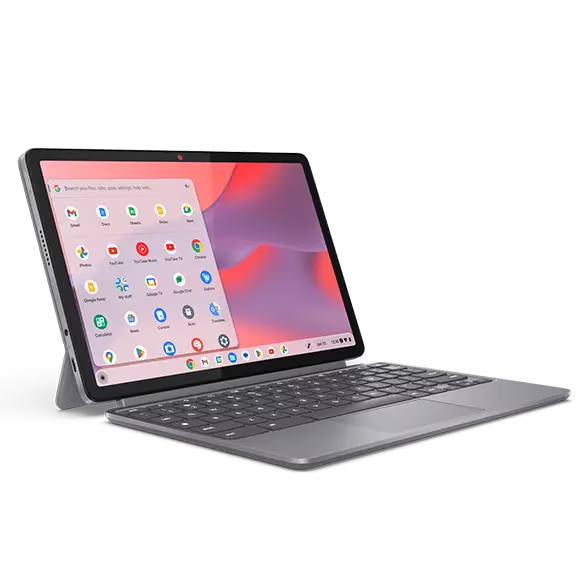
Size: 11″ FHD+ touchscreen, detachable keyboard CPU: MediaTek Kompanio 838 (octa-core) RAM/Storage: 4GB RAM, 64GB eMMC + microSD expansion Battery: rated up to 12 hours; independently tested at roughly 9.5-12.5 hours
Reasons To Buy
+ Detachable keyboard doubles as a standalone 11″ tablet
+ ChromeOS boots in seconds and doesn’t accumulate slowdown the way budget Windows machines do over time
+ Strong battery life for its size and price
+ Full-metal chassis feels sturdier than the price tag suggests
Reasons to avoid
– ChromeOS is a real wall if you need desktop software with no web or Android equivalent
– 4GB RAM caps out around 4-6 open tabs before things get sluggish
Why we picked it: The 2-in-1 design is what sets this apart from the rest of the list: detach the keyboard and it’s a genuinely usable 11-inch tablet, magnetic kickstand included, not just a laptop with a removable accessory bolted on.
Real-world ownership: For anyone who wants tablet flexibility without buying two separate devices, this is the most direct answer on this list. The metal chassis is a small detail that changes the daily feel of the thing.
Performance: Adequate for browsing, reading, and light productivity in either laptop or tablet mode. The 4GB RAM ceiling is the same limitation the CX15 above shows, just in a more flexible form factor.
Reliability: Same category-level note applies. Detachable 2-in-1 hinges and connectors are a mechanical wear point worth being aware of over years of daily attach/detach cycles, though we don’t have long-term failure data specific to this model to cite.
Meaningful numbers: 4GB RAM, 64GB eMMC storage plus microSD expansion, 9.5-12.5 hour battery range across independent tests, 11″ display.
Trade-offs: It ranks here specifically for the 2-in-1 flexibility, not raw capability; the CX34 above handles more demanding multitasking in a traditional clamshell form.
Who should buy it: anyone who wants real tablet-and-laptop flexibility in one affordable device.
Who should skip it: anyone who needs more RAM for heavier multitasking; the ASUS Chromebook Plus CX34 above is the better fit.
Bottom line: a tablet and a laptop for the price of neither, with the RAM ceiling that implies.
Buy this if you:
- want real tablet-and-laptop flexibility without buying two devices
- value a detachable 2-in-1 design over a traditional clamshell
- can live within a 4GB RAM ceiling for light, mixed-mode use
Best for: anyone who wants real tablet-and-laptop flexibility in one affordable device.
Related Post: Best Laptops for Students 2027
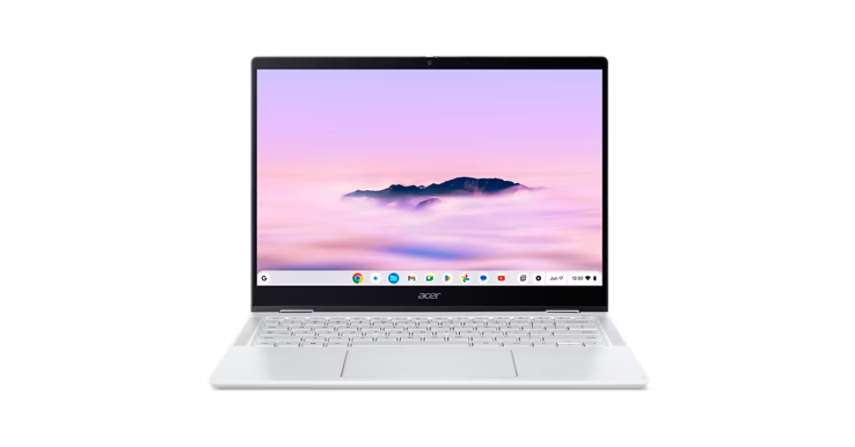
A 2-in-1 durable enough for campus life, with a screen worth showing off
-
Specifications
Size: 14″ 2.8K (2880 x 1800) OLED touchscreen CPU: MediaTek Kompanio Ultra 910 RAM/Storage: 12GB RAM, 256GB storage Battery: 69Wh; Acer claims up to 17 hours, independent real-world tests found roughly 11-15 hours depending on usage
Reasons To Buy
+ 2.8K OLED touchscreen at a price that regularly dips under $500 despite a $699 list price
+ Independently measured at 114.3% sRGB and 80.9% DCI-P3 color coverage, genuinely excellent for the price
+ MediaTek Kompanio Ultra 910 gives it real everyday speed, not typical budget-Chromebook sluggishness
+ Sturdy, foldable 2-in-1 design built for daily campus carrying, MIL-STD 810H tested
Reasons to avoid
– ChromeOS won’t run traditional desktop software
– Real-world battery life runs meaningfully below Acer’s 17-hour claim, closer to 11-15 hours depending on brightness and workload
Why we picked it: This is the pick that made reviewers reconsider what a budget Chromebook could look like. A 2.8K OLED touch panel with genuinely excellent color accuracy, at a price that regularly dips under $500, is not something the Chromebook category has offered before.
Real-world ownership: Pair the screen with a MediaTek Kompanio Ultra 910 chip that gives it more everyday pep than typical Chromebook hardware, and it’s a legitimately compelling package for a student who wants something durable enough for a backpack and nice enough to actually enjoy using daily. Independent reviewers consistently describe getting through a full workday or two full school days between charges, even if that falls short of Acer’s marketing number.
Performance: The Kompanio Ultra 910 handles everyday multitasking well, without the ceiling the budget picks in this guide show. It’s the same chip powering the Lenovo Chromebook Plus 14 above, just in a convertible 2-in-1 body instead of a traditional clamshell.
Reliability: The foldable 2-in-1 hinge is engineered specifically for daily campus carrying and passes MIL-STD 810H military-grade durability testing, per the manufacturer’s testing standard.
Meaningful numbers: 12GB RAM, 256GB storage, 2.8K OLED resolution, 114.3% sRGB / 80.9% DCI-P3 color coverage (independently measured), 69Wh battery rated up to 17 hours by Acer (11-15 hours in independent real-world testing), typically found under $500 despite $699 list price.
Trade-offs: It ranks last by rank number, not by quality; it’s genuinely one of the strongest picks in this guide for the specific student/2-in-1 use case, it just serves a narrower need than the CX34’s all-around positioning.
Who should buy it: students who want a durable, foldable Chromebook with a display that doesn’t feel like a budget compromise.
Who should skip it: anyone who doesn’t need the touch/2-in-1 flexibility; the ASUS Chromebook Plus CX34 above covers similar ground in a traditional clamshell for less.
Bottom line: the strongest screen-per-dollar in this entire guide, wrapped in a build made for a backpack.
Buy this if you:
- are a student who needs a Chromebook durable enough for daily campus carrying
- want OLED display quality without OLED-tier pricing
- want 2-in-1 flexibility alongside genuinely good color accuracy
Best for: students who want a durable, foldable Chromebook with a display that doesn’t feel like a budget compromise.
Feature Comparison
| Product | Performance | Display | RAM | Price |
|---|---|---|---|---|
| ASUS Chromebook Plus CX34 | Solid, everyday-strong | 1080p | 8GB | Mid-range |
| ASUS Chromebook CX15 | Basic, single-task only | 1080p | 4GB | $159 |
| Lenovo Chromebook Plus 14 | Category-leading | 1920×1200 OLED | 16GB | Premium |
| Lenovo Chromebook Duet Gen 9 | Adequate, 2-in-1 flexible | 11″ FHD+ touch | 4GB | Budget-mid |
| Acer Chromebook Plus Spin 514 | Strong, real everyday speed | 2.8K OLED touch | 12GB | $699 list, often under $500 |
Frequently Asked Questions
Is 4GB of RAM enough for a Chromebook in 2027?
It’s workable for basic browsing and email, but you’ll notice slowdowns once you stack more than a handful of tabs. 8GB is the safer baseline, and 16GB (like on the Lenovo Chromebook Plus 14) removes the ceiling almost entirely.
What’s the difference between a Chromebook and a Chromebook Plus?
Chromebook Plus is Google’s certification for higher-end hardware that meets specific performance and feature standards, including exclusive AI features not available on standard Chromebooks.
How long do Chromebooks get software updates?
Google guarantees 10 years of security updates for Chromebooks released since 2021, and has committed to that same 10-year window for all new Chromebooks going forward. Check the specific model’s update-expiration date before buying, since it varies by release date.
Are MediaTek Kompanio Ultra Chromebooks actually better than Intel-powered ones?
Independent lab testing (Signal65) has shown real performance gains over comparable x86 Chromebooks, particularly in GPU performance, without the usual trade-off between speed and battery life.
Are Chromebooks actually more reliable than Windows laptops?
ChromeOS’s lightweight footprint generally means less performance degradation over time compared to budget Windows machines, since it doesn’t accumulate background bloat the same way. Be cautious of specific brand-by-brand failure-rate percentages circulating online; much of that data traces back to unverified sources rather than independent testing.
Can a Chromebook run Windows or Mac software?
No, natively. ChromeOS runs web apps, Android apps, and (on supported models) Linux applications, but not Windows or macOS software directly.
Is an OLED Chromebook worth the extra cost?
For color accuracy and contrast, yes, it’s a genuine step up, and models like the Acer Chromebook Plus Spin 514 now offer it at a much lower price than OLED historically commanded in this category.
Do Chromebooks need antivirus software?
Not in the traditional sense; ChromeOS’s sandboxed architecture and automatic updates handle most of what antivirus software addresses on Windows.
What should I look for in a Chromebook for a student?
Durability (a 2-in-1 hinge built for daily carrying, like the Acer Chromebook Plus Spin 514), a comfortable display for reading, and enough RAM (8GB+) to handle multiple browser tabs during research and coursework.
Is a Chromebook a good choice for gaming?
Not for demanding titles. Cloud gaming services (Xbox Cloud Gaming, GeForce Now) work on Chromebooks with a strong internet connection, but local hardware limitations rule out most modern AAA games.
This post was all about the best Chromebooks to proving that “just a Chromebook” stopped being an insult a while ago.