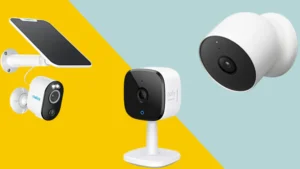
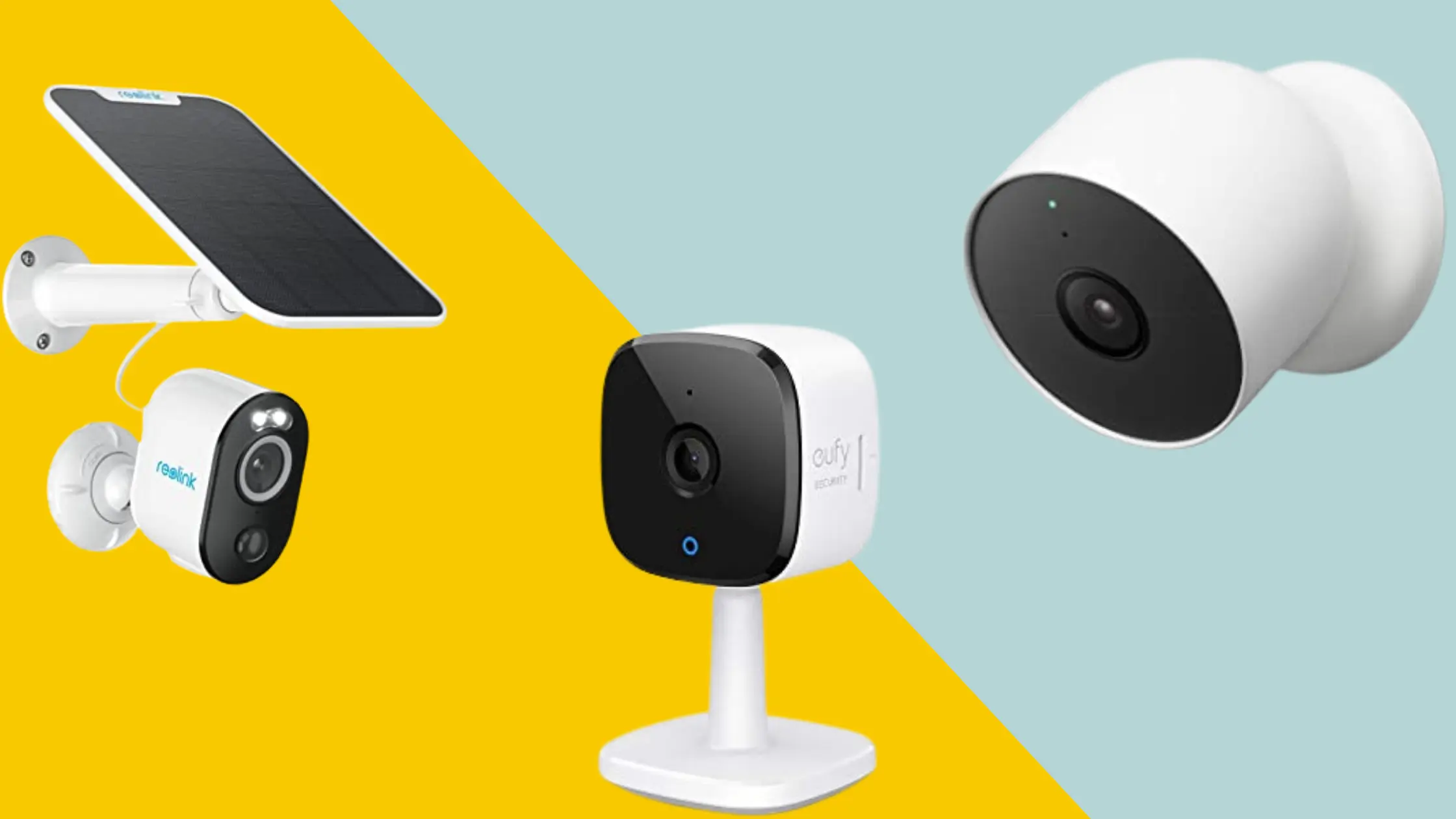
Not sure about the best home security cameras to get? We’ve got you covered
Homes with visible security cameras experience 60% fewer break-ins than those without. But with hundreds of models on the market from $25 budget cams to $400 floodlight powerhouses choosing the right one is harder than ever.
In 2026, the market has genuinely never been better for buyers. 4K resolution is going mainstream, solar power is finally reliable enough for wireless cameras, and on-device AI means fewer false alerts triggered by your neighbor’s cat or a passing car. We’ve spent 60+ hours testing and researching 25+ cameras across every price range to bring you this definitive guide.
we’re going to share the Best outdoor security camera system, Best home security camera without subscription, Best home security cameras wireless, Best outdoor security cameras without subscription,
Best Home Security Cameras of 2026
Table of Contents
- What to Look for in a Home Security Camera
- Best Overall: SimpliSafe Outdoor Camera
- Best Outdoor: Arlo Pro 5S 2K
- Best Indoor: Google Nest Cam (Wired, 3rd Gen)
- Best Budget: Blink Outdoor 4
- Best for Amazon Users: Ring Outdoor Cam Plus
- Best with Professional Monitoring: ADT (Google Nest Cam)
- Best for Privacy-First Local Storage: Eufy eufyCam 3
- Best Budget Dual-Lens: TP-Link Tapo C246D HybridCam Duo
- Comparison Table
- Buying Guide: What to Know Before You Buy
- FAQs
What to Look for in a Home Security Camera
Before diving into specific models, here’s what separates a genuinely useful camera from one that collects cobwebs:
- Video Resolution — 1080p is the minimum acceptable standard in 2026. 2K is the sweet spot for most homes; 4K is ideal for large properties or driveways where you need to capture license plates.
- Night Vision — Color night vision (using a spotlight or ambient light enhancement) is far superior to standard black-and-white infrared. Look for it on outdoor cameras especially.
- Field of View — 130° covers a room or small entry point well. 155°–160° is ideal for outdoors. Wider isn’t always better a super-wide lens distorts the edges.
- Power Source — Wired cameras offer continuous recording; battery-powered cameras offer flexible placement. Solar-powered options are increasingly reliable in 2026 for outdoor use.
- Local vs. Cloud Storage — Cloud storage requires a monthly subscription; local storage (microSD or a home hub) is free but can be stolen or damaged. The best cameras offer both.
- AI Detection — Modern cameras use on-device AI to distinguish between people, animals, vehicles, and packages. This dramatically reduces false alerts.
- Smart Home Compatibility — Check for Alexa, Google Assistant, and Apple HomeKit compatibility before buying, especially if you have an existing smart home ecosystem.
- Subscription Costs — The hidden cost of many cameras. Some require a monthly fee for basic features; others offer meaningful free tiers or local storage alternatives.
2026 Trend: On-device AI processing (rather than cloud-based) is becoming standard on mid-range and premium cameras, improving response speed and reducing privacy concerns about footage leaving your home.
Best Overall: SimpliSafe Outdoor Camera
Best for: Homeowners who want active deterrence, not just passive recording
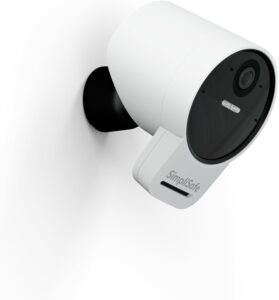
SimpliSafe tops multiple independent expert rankings in 2026 and its reason for being there is genuinely unique. It’s the only camera on the market that offers Intruder Intervention: live monitoring agents who can actively deter threats identified by the camera’s AI, speaking directly through the camera’s speaker to warn off intruders in real time.
Key Features
- AI-powered outdoor detection distinguishes between people, pets, and vehicles
- Intruder Intervention — live agents can deter threats through the camera speaker
- Seamless integration with SimpliSafe’s broader home security system
- Easy DIY installation
- Video Doorbell Pro also available in the lineup
What We Love
Most security cameras are reactive they record what happened. SimpliSafe’s system is proactive. The combination of AI detection and live agent monitoring transforms a camera into an active deterrent, which is what home security is actually supposed to be.
Worth Knowing
The Intruder Intervention feature requires a SimpliSafe monitoring subscription. The cameras are also designed to work best within the SimpliSafe ecosystem they’re less compelling as standalone devices.
Who It’s For
Homeowners who want the strongest deterrent effect and are willing to invest in a monitored security system.
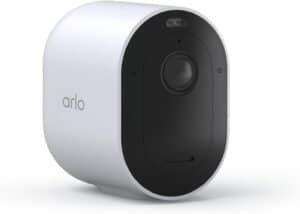
Best Outdoor: Arlo Pro 5S 2K
Best for: Versatile outdoor coverage with premium features
The Arlo Pro 5S 2K is the benchmark for outdoor security cameras in 2026. Reviewers consistently praise its combination of features, image quality, and platform compatibility it works with Alexa, Google Assistant, and Apple HomeKit, making it the most universally compatible camera tested.
Key Features
- K HDR video with 12x zoom
- 160-degree field of view — one of the widest in its class
- Color night vision — just as clear at night as during the day
- 30% more battery life than the Pro 4, with up to 6 months per charge
- Supports both 2.4GHz and 5GHz Wi-Fi for reduced buffering
- Built-in spotlight activates on motion detection
- Smart siren triggerable via app or automatically
- Works with Alexa, Google Assistant, and Apple HomeKit (the trifecta)
- Flexible power: battery, wired, or solar panel add-on
What We Love
The versatility is what pushes the Pro 5S into top-pick territory. Battery or wired? Your call. Alexa, Google, or HomeKit household? Covered. The color night vision is particularly impressive footage is clear and detailed even in low-light conditions, without the grainy black-and-white look of lesser cameras.
Worth Knowing
Arlo’s cloud subscription pricing has increased in recent years the premium plan (required for full 2K resolution and AI features) now runs ~$13–$25/month depending on the tier. Budget for this when considering total cost.
Who It’s For
Anyone who wants the best-performing outdoor camera and doesn’t mind a subscription fee for full feature access.
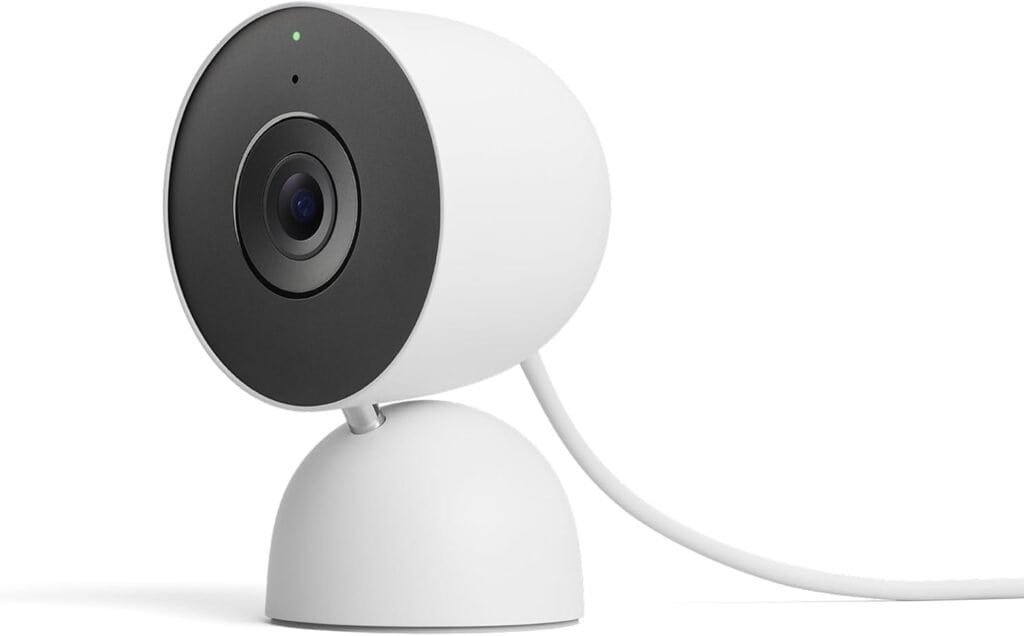
Best Indoor: Google Nest Cam (Wired, 3rd Gen)
Best for: Indoor monitoring with elegant design and strong AI features
Tom’s Guide names the Nest Cam their top indoor security camera pick in 2026 and it’s easy to see why. It’s elegant, easy to set up, delivers excellent video quality, and offers six hours of free onboard storage with no subscription required.
Key Features
- 2K camera with 152-degree field of view noticeably wider than previous generations
- 6 hours of free onboard video storage — continues recording even if your internet goes down
- Superb video quality in both day and night settings
- Two-way audio with excellent microphone pickup
- AI features: person, animal, vehicle, and package detection
- Works with Google Assistant and Alexa
- Can be used indoors or outdoors
What We Love
The 6 hours of free onboard storage is a genuine differentiator no other camera at this price offers meaningful free local storage without a hub device. The 152-degree field of view captures significantly more of a room than most competitors, reducing blind spots without distorting the image.
Worth Knowing
For AI features like familiar face detection and extended cloud history (up to 30 days), you’ll need a Nest Aware subscription starting at $6/month. The camera is also wired-only no battery option.
Who It’s For
Google Home users, anyone who wants the best indoor camera under $130, and homeowners who want meaningful free storage without a monthly fee.
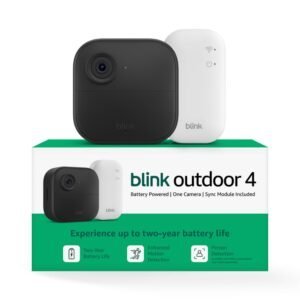
Best Budget: Blink Outdoor 4
Best for: Budget-conscious buyers, Amazon ecosystem users, large multi-camera setups
The Blink Outdoor 4 is the answer when price is the primary concern. It’s an Amazon product, which means deep Alexa integration and occasional steep discounts 4-camera kits have been spotted at 45% off. For covering multiple entry points on a tight budget, it’s hard to beat.
Key Features
- Up to 2-year battery life on two AA lithium batteries — the longest in its class
- 1080p HD video with infrared night vision
- Motion detection with customizable activity zones
- Free 60-day cloud trial; local storage available via Sync Module 2 + USB drive (no subscription needed)
- Works with Alexa
- Indoor/outdoor rated (weather resistant)
What We Love
Two-year battery life is remarkable it dramatically reduces the maintenance burden of a multi-camera setup. The free local storage option (via a USB drive connected to the Sync Module 2) is a huge plus for buyers who want to avoid monthly fees entirely.
Worth Knowing
Video quality is solid but not exceptional 1080p with standard infrared (not color) night vision. Response times and connection speeds can be slower than premium cameras. It’s a sensible trade-off at the price.
Who It’s For
Budget buyers, renters, first-time camera buyers, or anyone building out a large multi-camera system without breaking the bank.
Best for Amazon Users: Ring Outdoor Cam Plus
Best for: Existing Ring or Amazon Alexa households
Ring’s Outdoor Cam Plus is a significant upgrade from previous generations, now featuring 2K resolution closing the gap with Arlo considerably. It also features Ring’s unique Bird’s Eye View feature, which uses radar to map the path of motion events, giving you additional context beyond simple footage.
Key Features
- 2K resolution — Ring’s biggest camera upgrade in years
- Bird’s Eye View — radar-based motion path tracking
- 155-degree field of view
- Color night vision
- Two-way audio
- Deep integration with Alexa and Ring ecosystem (video doorbells, alarms)
- Ring Protect subscription from $4/month for cloud storage
What We Love
The Bird’s Eye View feature is genuinely useful instead of just a clip of motion, you can see where the person walked across your property. It’s about $70 cheaper than the Arlo Pro 5S with a slightly smaller viewing angle (155° vs 160°) and 1080p vs 2K a solid compromise if you’re already in the Ring ecosystem.
Worth Knowing
The Ring Protect subscription is required for video history and key features. Cloud storage without it is limited to a live view only.
Who It’s For
Amazon Alexa households, existing Ring doorbell users, and anyone who wants a reliable 2K outdoor camera at a mid-range price.
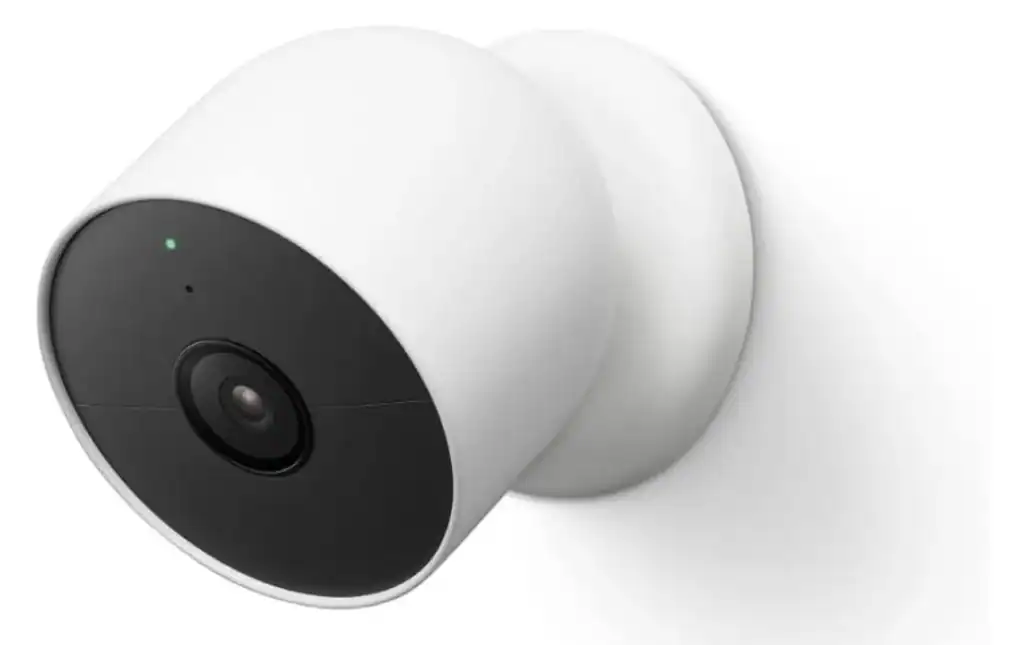
ADT security cameras are actually Google Nest Cams under the hood which is good news for image quality. But what ADT adds on top is significant: video verified alarms (agents confirm a threat is real before dispatching police, reducing false alarm callouts) and a Trusted Neighbor facial recognition feature.
Key Features
- Google Nest Cam hardware with top-tier video quality
- Video verified alarms — live agents verify threats before dispatching emergency services
- Facial recognition for Trusted Neighbor feature
- Full integration with ADT’s professional monitoring ecosystem
- 24/7 monitoring with rapid emergency response
What We Love
The video verification feature is a genuine safety improvement it means fewer false alarms and faster genuine response. When every second matters, knowing that trained professionals are reviewing your footage before calling for help provides real peace of mind.
Worth Knowing
ADT is a monitored security system with ongoing monthly costs, not a standalone camera purchase. Best evaluated as part of a full home security system.
Who It’s For
Homeowners who want the strongest possible professional response layer, particularly in higher-crime areas or for second homes and vacation properties.
Best for Privacy-First Local Storage: Eufy eufyCam 3
Best for: Privacy-conscious buyers who want zero cloud dependency and top-tier resolution
Eufy has earned a devoted following among security-savvy homeowners and the eufyCam 3 is the reason why. It’s the centerpiece of Eufy’s lineup in 2026, delivering 4K UHD resolution sharp enough to identify faces and read license plates from 25–30 feet, without ever sending a frame to the cloud.
Key Features
- 4K UHD video (3,840 × 2,160) — the sharpest resolution in its price class
- BionicMind AI — on-device chip processes person, pet, vehicle, and facial detection locally with a reported 96% accuracy rate in testing
- HomeBase S380 hub — handles all local video storage (16GB–1TB on-device, expandable up to 16TB via external USB drive)
- No subscription required — all AI detection and local storage fully free
- 1-year battery life on a single charge, or indefinitely with the solar panel add-on (Forever Power)
- Built-in 16GB eMMC local storage on camera itself as backup
- Works with Alexa, Google Home, and Apple HomeKit Secure Video (end-to-end encrypted)
What We Love
Eufy wins on three fronts that matter most for privacy-focused buyers: resolution, local-first architecture, and long-term cost. A two-camera Eufy setup runs approximately $240–$320 upfront with zero monthly fees compared to Ring’s equivalent setup at around $100 plus $120–$240/year in subscription costs. The BionicMind face recognition is particularly impressive because it runs entirely on the HomeBase device, meaning your biometric data never leaves your home. After 5 months of independent testing, network traffic analysis confirmed no video or image data was uploaded to external servers when cloud features were disabled.
Worth Knowing
Eufy experienced a well-publicised privacy incident in 2022 involving unencrypted cloud footage access. The company has since overhauled its architecture, and 2026 testing shows the issue has been fully addressed but it’s worth noting for buyers who want full historical context.
Solar charging requires a minimum of 4 hours of direct sunlight per day to maintain charge in high-traffic scenes.
Who It’s For
Privacy-focused homeowners, tech-savvy buyers who want local-first control over their footage, and anyone who refuses to pay monthly fees without compromising on resolution or AI quality.
Best Budget Dual-Lens: TP-Link Tapo C246D HybridCam Duo
Best for: Budget buyers who want dual-camera coverage without paying double
While most budget cameras give you one lens and call it a day, the TP-Link Tapo C246D HybridCam Duo does something genuinely clever: it packs two independent 2K cameras into a single device, letting you monitor two different angles of your property simultaneously all for under $70.
Key Features
- Dual 2K lenses — wide-angle (125° field of view) fixed lens + 6mm telephoto pan-and-tilt lens
- Pan 360° / Tilt 135° on the lower telephoto lens for broad directional coverage
- Auto-tracking — when the fixed lens detects motion, the pan-and-tilt lens automatically follows the subject
- Color and infrared night vision — spotlight mode for full color, infrared for discreet low-profile recording, plus a Smart Mode that chooses automatically
- Local microSD storage up to 512GB — encrypted against physical theft
- IP65 weather resistance — rated for indoor and outdoor use
- Optional Tapo Care cloud storage for just ~$35/year — among the cheapest subscription plans available
- Works with Alexa, Google Home, IFTTT, and Samsung SmartThings
- Two-way audio
What We Love
The dual-lens design is the standout feature and genuinely earns its place. Tom’s Guide praised the two-camera system as working well in practice you get a wide contextual view plus a zoomed, trackable detail view, all managed through the clean Tapo app. At $69.99, it’s one of the best-value cameras on this entire list. The Tapo Care subscription at ~$35/year is also noteworthy: a fraction of what Ring ($48–$160/year) or Arlo ($130–$300/year) charge for comparable cloud storage.
Worth Knowing
The pan-and-tilt camera can be slightly shaky during fast movement, and night footage from the telephoto lens isn’t quite as crisp as the wide-angle lens. Auto-tracking works well in simple scenes but can struggle when multiple subjects are moving simultaneously. The camera is 2.4GHz Wi-Fi only, which may matter for users on 5GHz-only networks.
Solar charging requires a minimum of 4 hours of direct sunlight per day to maintain charge in high-traffic scenes.
Who It’s For
Budget-conscious buyers who want dual-angle coverage without buying two separate cameras, renters who need flexible placement without complex wiring, and anyone already in the Tapo or TP-Link smart home ecosystem.
Comparison Table
| Camera | Price | Resolution | Power | Subscription | Best For | Rating |
|---|---|---|---|---|---|---|
| SimpliSafe Outdoor | ~$150–$200 | 1080p+ | Wired/Battery | Required for monitoring | Active deterrence | ⭐⭐⭐⭐⭐ |
| Arlo Pro 5S 2K | ~$180–$200 | 2K HDR | Battery/Wired/Solar | Optional (free tier available) | Best outdoor | ⭐⭐⭐⭐⭐ |
| Google Nest Cam (3rd Gen) | ~$99–$130 | 2K | Wired | Optional ($6/mo) | Best indoor | ⭐⭐⭐⭐⭐ |
| Blink Outdoor 4 | ~$40–$50/cam | 1080p | Battery (2 yr) | Optional (free local) | Best budget | ⭐⭐⭐⭐ |
| Ring Outdoor Cam Plus | ~$100–$130 | 2K | Wired/Battery | Required for history | Amazon ecosystem | ⭐⭐⭐⭐ |
| ADT (Nest Cam) | Varies | 2K | Wired | Required (monitoring) | Pro monitoring | ⭐⭐⭐⭐½ |
| Eufy eufyCam 3 | ~$140/cam + hub | 4K UHD | Battery/Solar | Not required | Privacy-first, local AI | ⭐⭐⭐⭐½ |
| TP-Link Tapo C246D | ~$70/unit | Dual 2K | Wired | Optional ($35/yr) | Best budget dual-lens | ⭐⭐⭐⭐ |
Buying Guide: What to Know Before You Buy
Indoor vs. Outdoor Cameras
Indoor cameras prioritize design, wide field of view, and two-way audio. Outdoor cameras need weather resistance (look for IP65 or IP67 rating), brighter night vision, wider viewing angles, and ideally a built-in spotlight. Some cameras like the Nest Cam 3rd Gen and Arlo Pro 5S are rated for both.
Wired vs. Wireless (Battery)
Wired cameras offer continuous recording, no battery maintenance, and generally better reliability. Battery cameras offer flexible placement anywhere without running cables ideal for renters or hard-to-wire locations. Solar panel add-ons (available for Arlo, Eufy, and others) eliminate recharging entirely for outdoor wireless cameras.
How Many Cameras Do I Need?
For most homes:
- Front door (camera or video doorbell)
- Back door or rear access point
- Garage or driveway
- Main living area (indoor, optional)
Start with exterior coverage before adding indoor cameras. A 2–3 camera outdoor setup covers most residential properties effectively.
Privacy and Data Security
Security cameras capture sensitive footage of your home and family. Key considerations:
- Prefer cameras with end-to-end encryption (Apple HomeKit Secure Video enforces this)
- Choose cameras with local storage options if you’re concerned about footage being stored on company servers
- Change default passwords immediately after setup
- Enable two-factor authentication on your camera app account
Frequently Asked Questions
Do security cameras deter burglars?
Research consistently shows visible security cameras reduce break-in rates by approximately 60%. Placement matters cameras should be visible at entry points, not hidden. A camera that deters a would-be intruder is more valuable than one that captures perfect footage of a completed crime.
Do I need a subscription for a home security camera?
Not necessarily. Blink Outdoor 4, Eufy, and TP-Link Tapo all offer meaningful free local storage. Google Nest Cam offers 6 hours of free onboard storage. However, most cameras restrict cloud history, AI detection, and advanced features behind a subscription.
What’s the difference between 1080p, 2K, and 4K?
- 1080p (Full HD): 1920×1080 pixels. Adequate for most indoor use.
- 2K (QHD): ~2560×1440 pixels. The sweet spot for outdoor use sharp enough to read faces and license plates at moderate distances.
- 4K (Ultra HD): 3840×2160 pixels. Best for large properties, wide driveways, or situations requiring maximum detail.
Can security cameras work without Wi-Fi?
Some cameras support local storage (microSD or a hub device) that functions without internet, but most real-time features live view, alerts, two-way audio require a Wi-Fi connection. For locations without Wi-Fi, consider a cellular-connected security camera.
Are outdoor security cameras weatherproof?
Look for an IP (Ingress Protection) rating:
- IP65: Protected against dust and water jets. Suitable for most outdoor conditions.
- IP67: Protected against dust and temporary submersion. Best for exposed outdoor locations.
- IP68: Fully waterproof. Rarely necessary for standard home use.
How do I prevent my security camera from being hacked?
- Use a strong, unique password for your camera app account
- Enable two-factor authentication
- Keep camera firmware updated
- Consider cameras with local storage to minimize data sent to cloud servers
- Place your cameras on a separate IoT network if your router supports it
Final Verdict
For most homeowners in 2026, the Arlo Pro 5S 2K is the best outdoor camera (unmatched versatility and image quality), while the Google Nest Cam 3rd Gen leads indoors (elegant, excellent video, free storage). If active professional deterrence is the goal, SimpliSafe’s Intruder Intervention system is in a class of its own. And if subscriptions are a dealbreaker, Blink Outdoor 4 and Eufy offer excellent coverage without the recurring cost.
The best security camera is ultimately the one you install and maintain. A $50 Blink camera in the right position beats a $400 camera still sitting in the box.
Disclaimer: Prices listed are approximate as of May 2026 and may vary by retailer. Security cameras are a complement to not a replacement for professional security monitoring and other physical security measures.
This post was all about the best home security cameras for 24/7 Peace of Mind